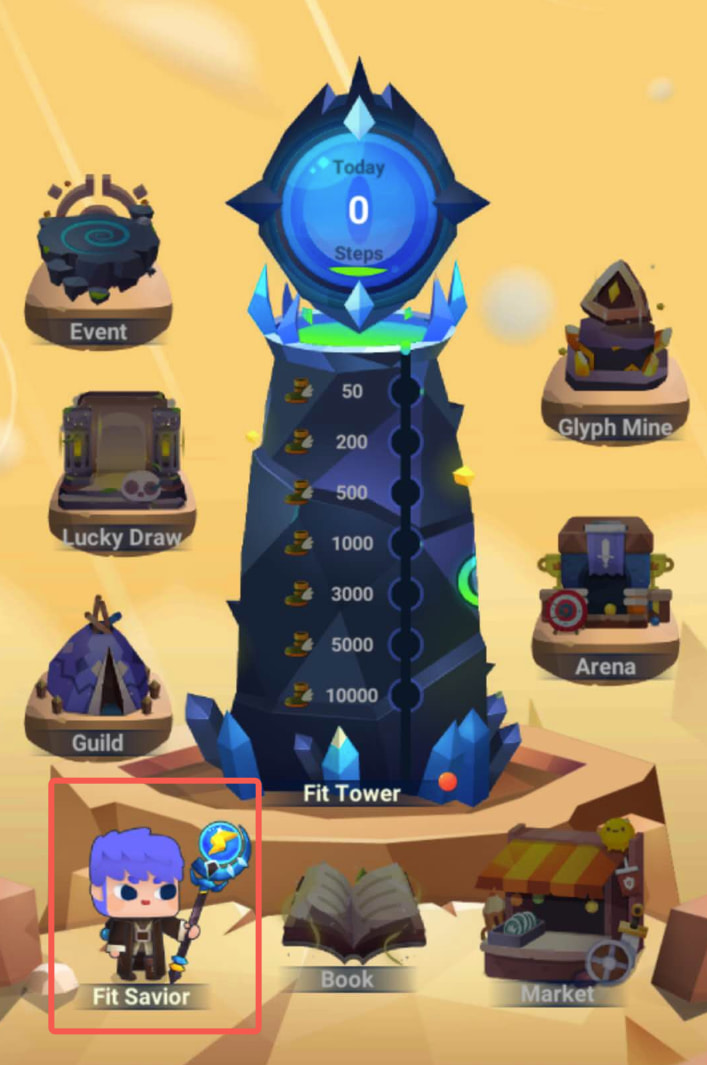
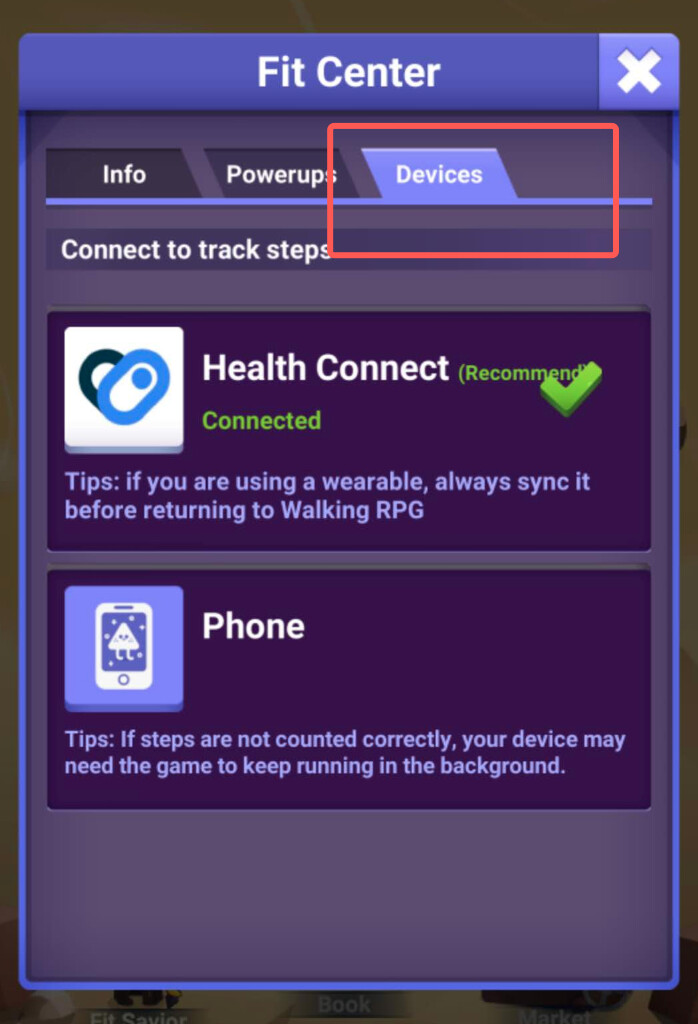
1. Switch to Health Connect
In Walking RPG, go to Fit Savior → Devices to change your step-tracking method. If you select a new method, you’ll need to wait until the next day for it to start tracking. You can switch back to your previous method and resume tracking at any time before midnight.
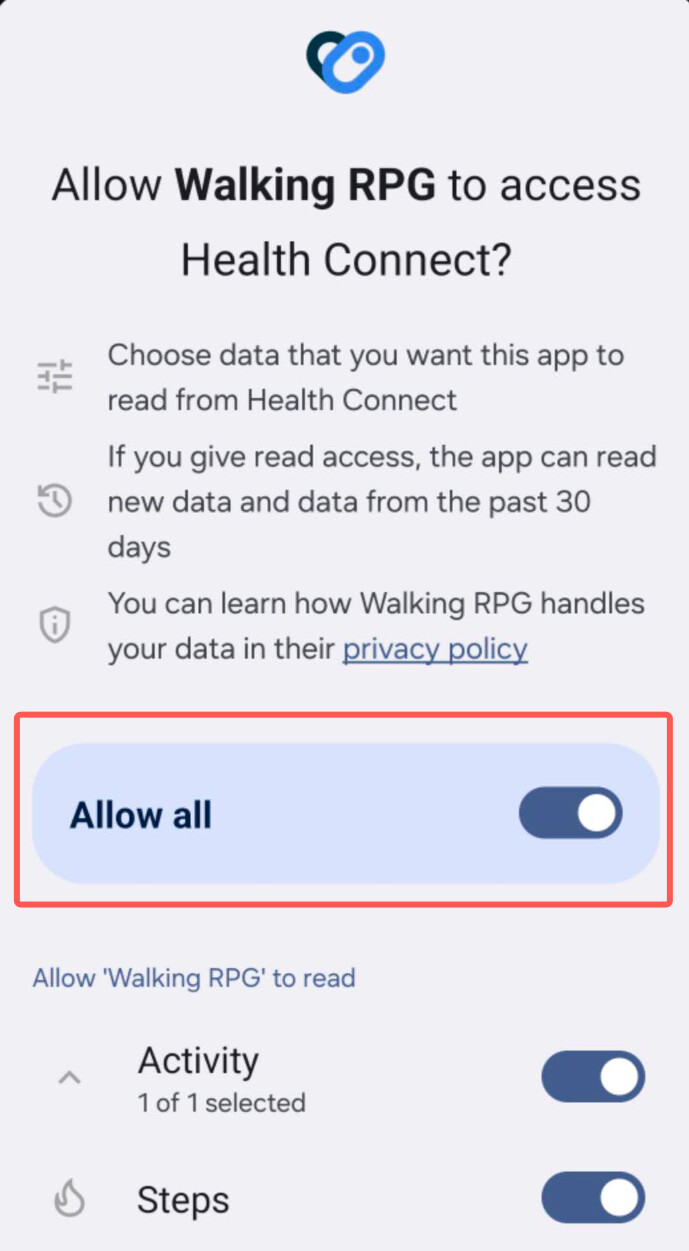
2. Select Health Connect and grant permissions
Select Health Connect and grant all requested permissions so step tracking can work.
If your steps aren’t being tracked correctly, choose the troubleshooting guide for your setup:
Using your phone’s built-in step counter with Health Connect
1. Connect “Walking RPG”
Go to Settings → Health Connect and make sure Walking RPG is listed under Your health apps.
[image]
2. Verify step tracking
Go to Health Connect → Data and access → Steps and check that your step data appears there.
[image]
For help connecting the game to Health Connect, see our setup guide:
Using a smartwatch or fitness tracker with Health Connect
1. Sync your device
If you use a smartwatch or fitness tracker to track your steps, make sure it has synced with its companion app. The example below shows a Fitbit device syncing with Google Health.
[image]
2. Connect “Walking RPG” and your device’s companion app
Go to Settings → Health Connect and make sure both Walking RPG and your device’s companion app are listed under Your health apps. The screenshot below shows Fitbit as the companion app.
[image]
3. Verify step tracking
Go to He…