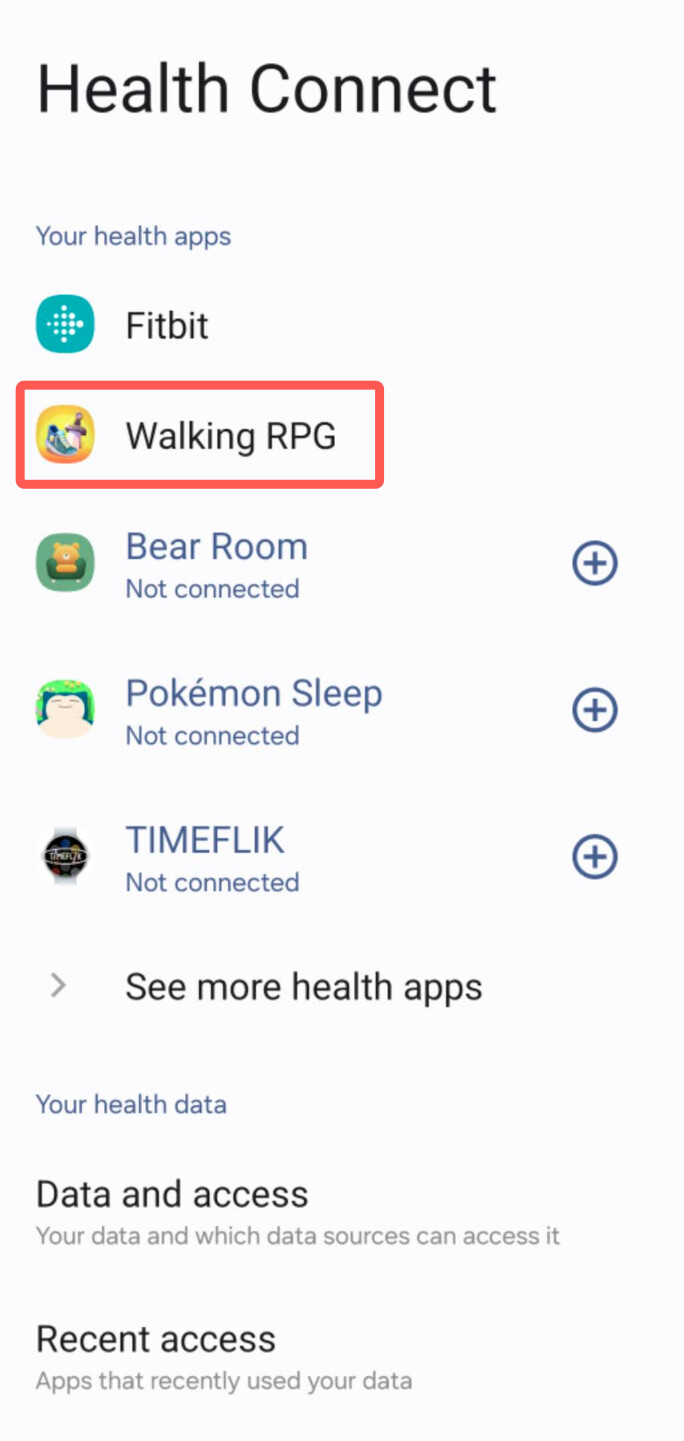
1. Connect “Walking RPG”
Go to Settings → Health Connect and make sure Walking RPG is listed under Your health apps.
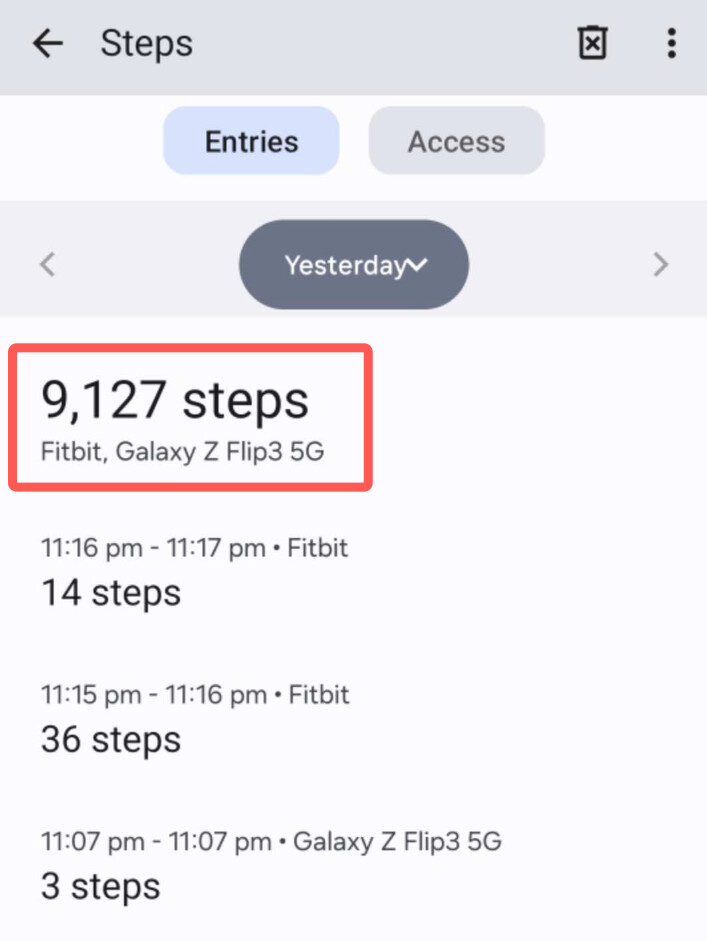
2. Verify step tracking
Go to Health Connect → Data and access → Steps and check that your step data appears there.
For help connecting the game to Health Connect, see our setup guide: